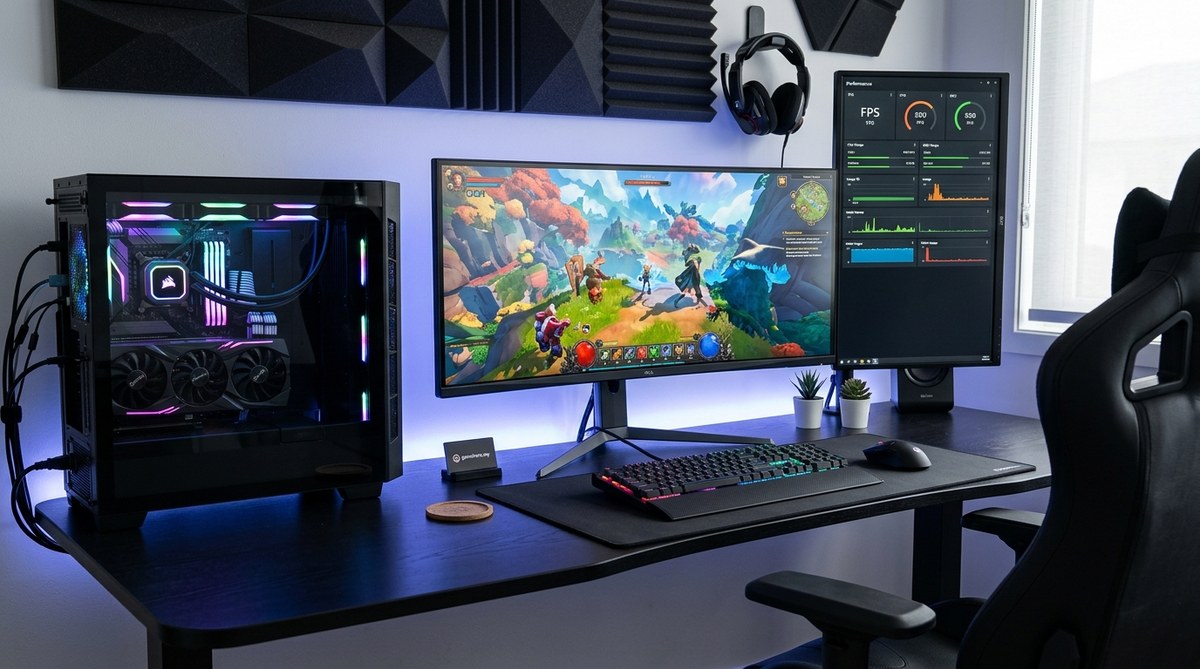
Getting the most out of your gaming PC means more than just having the latest hardware. It’s about fine-tuning your setup so you can enjoy smooth frames, sharp visuals, and minimal lag. Whether you’re aiming for competitive edge or just want your games to run flawlessly, optimizing your gaming PC is a game changer. Small adjustments can lead to big improvements in your overall gaming experience.
Optimizing your gaming PC involves updating hardware, tweaking software settings, and maintaining your system regularly. Focus on balancing performance and stability to enjoy smoother gameplay and richer visuals. Follow practical steps and avoid common mistakes to unlock your PC’s full gaming potential.
Achieving peak gaming performance is a blend of hardware upgrades, system settings, and good maintenance habits. It’s not just about buying the latest parts but also about configuring and caring for your system properly. This guide walks you through clear, actionable steps to optimize your gaming setup. Follow these tips to reduce lag, improve frame rates, and make your gaming sessions more enjoyable.
1. Keep your drivers and software up to date
Your graphics card, motherboard, and other hardware rely on drivers to communicate effectively with your system. Outdated drivers are a common cause of performance issues. Regularly check for updates from your hardware manufacturers, especially your GPU. Visit the official websites for NVIDIA, AMD, or Intel to download the latest drivers.
For Windows users, enabling automatic updates for Windows and drivers can save time. Additionally, keep your game clients, such as Steam or Epic Games Launcher, updated to avoid compatibility issues that can hamper performance.
Tips for updating drivers
- Use manufacturer-specific tools like NVIDIA GeForce Experience or AMD Radeon Software.
- Avoid downloading drivers from third-party sites to prevent malware.
- Restart your PC after updates to ensure changes take effect.
2. Optimize in-game settings and system configurations
Lowering unnecessary graphical settings can significantly boost performance. Turn down options like shadows, anti-aliasing, and texture quality if your frame rates drop below your target. Many modern games have built-in presets, making it easy to quickly improve performance.
Beyond in-game adjustments, tweak your system settings:
– Set your PC to high-performance mode in Windows power settings.
– Disable background apps that aren’t needed while gaming.
– Adjust your display resolution to match your hardware capabilities.
Practical configuration tips
- Use the in-game graphics settings as a starting point.
- Experiment with turning off V-Sync if you experience input lag.
- Enable G-Sync or FreeSync if your monitor supports it for smoother visuals.
3. Hardware upgrades and maintenance
Sometimes, the best way to boost your gaming power is through hardware upgrades. Focus on components that have the biggest impact:
– Upgrading your GPU yields the most noticeable performance gains.
– Increasing RAM capacity can help with multitasking and recent game requirements.
– Replacing HDDs with SSDs reduces load times and improves system responsiveness.
Regular maintenance keeps your PC running smoothly:
– Clean dust from inside the case to prevent overheating.
– Reapply thermal paste on your CPU if temperatures run high.
– Ensure your power supply provides enough wattage for your components.
Common mistakes to avoid
| Mistake | Effect | Solution |
|---|---|---|
| Overclocking without proper cooling | Overheating, instability | Use adequate cooling solutions and overclock gradually |
| Neglecting dust cleaning | Reduced airflow, high temps | Schedule regular cleaning |
| Ignoring BIOS updates | Compatibility issues | Check motherboard manufacturer’s site for updates |
4. Fine-tune system performance with software tools
Utilize software utilities to monitor and optimize your PC:
– Use task managers or third-party tools like MSI Afterburner for real-time performance monitoring.
– Disable unnecessary startup programs to free up system resources.
– Use disk cleanup and defragmentation tools to keep storage optimized.
“A well-maintained system is key to consistent gaming performance,” advises gaming tech expert Mark Johnson. Regular checks and adjustments keep your setup running at its best.
Additional tips
- Set your system to prioritize gaming processes in task manager.
- Use game mode in Windows 10/11 for optimized performance.
- Consider third-party optimization tools, but choose reputable ones.
5. Avoid common pitfalls that hinder gaming performance
Knowing what to avoid is just as important as knowing what to do. Here’s a quick rundown:
– Running unnecessary background processes during gaming can cause lag.
– Using incompatible or outdated drivers can lead to crashes or poor performance.
– Overclocking without proper cooling can damage hardware and cause instability.
– Ignoring system updates and maintenance can slowly degrade performance over time.
| Technique | Mistake | Result | How to prevent |
|---|---|---|---|
| Updating drivers | Downloading from unreliable sources | System crashes, poor performance | Use official manufacturer sites |
| Overclocking | Overheating hardware | Instability, hardware damage | Overclock gradually with cooling in mind |
| Regular system cleaning | Ignoring dust buildup | Overheating, throttling | Schedule routine cleaning |
Your path to a faster, smoother gaming experience
Tuning your gaming PC is a continuous process. Regularly review your hardware and software to adapt to new game requirements and updates. Keeping your drivers current, adjusting settings for balance, and maintaining your system will help you get the best out of your setup.
Remember, small consistent efforts make a big difference. Your gaming experience can become more fluid and immersive with just a few tweaks. Don’t be afraid to experiment with settings and upgrades to find what works best for your system.
Unlock your gaming potential by fine-tuning your setup
Optimizing your gaming PC isn’t a one-time task. It’s an ongoing journey of adjustments and maintenance. With patience and a little know-how, you can squeeze every ounce of performance from your hardware. Keep your system clean, stay updated, and fine-tune your settings regularly.
By following these simple yet effective steps, you will notice smoother gameplay, sharper visuals, and less frustration. Your gaming sessions will feel more responsive and immersive. Get started today and turn your gaming PC into a powerhouse ready to meet any challenge.
Happy gaming!
About the Author